Landing
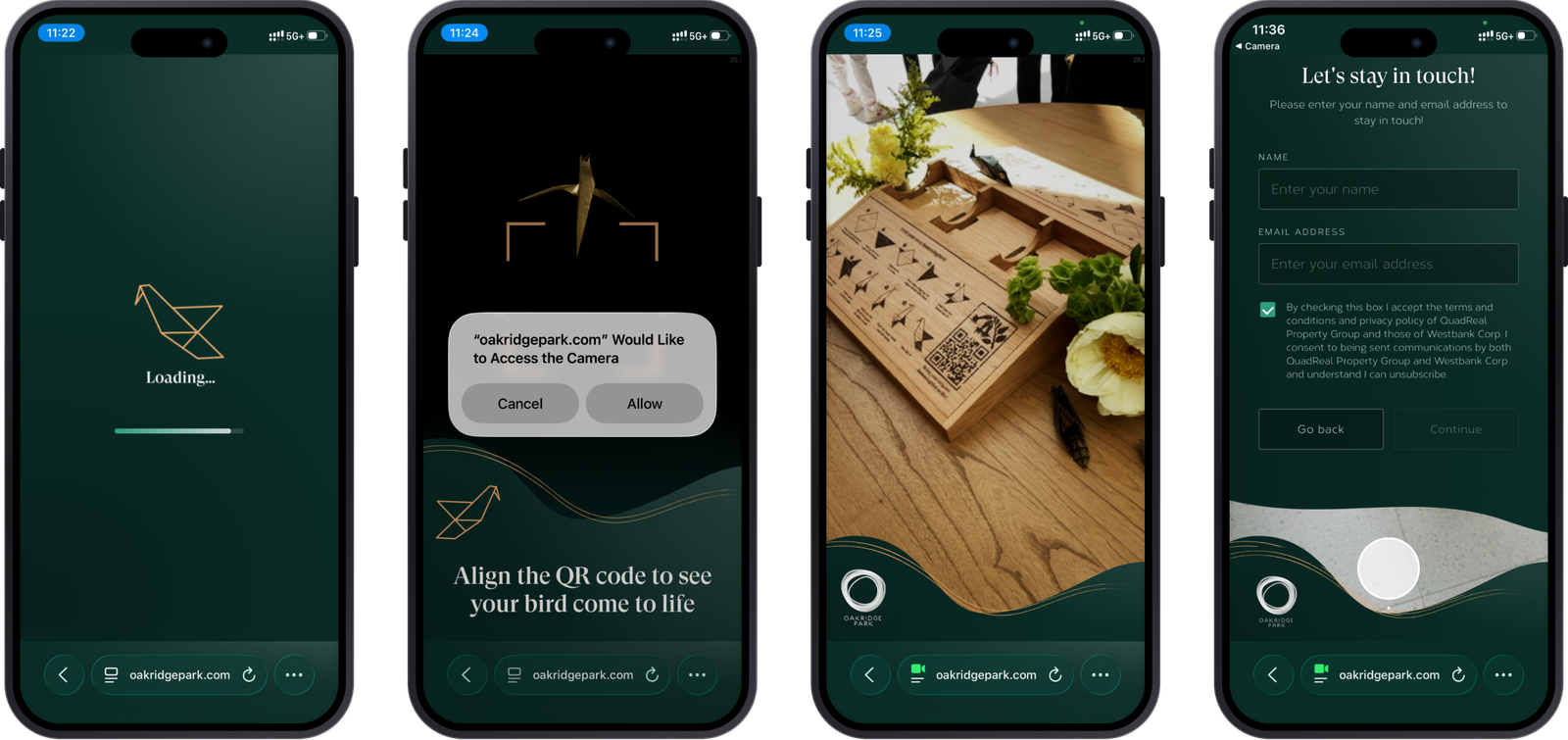
Align and scan the QR code to activate Kio.
AdaptedVisitors fold an origami hummingbird, scan an installation and bring Kio to life through AR on their phones. I designed the on-screen experience during my practicum with NGX Interactive.
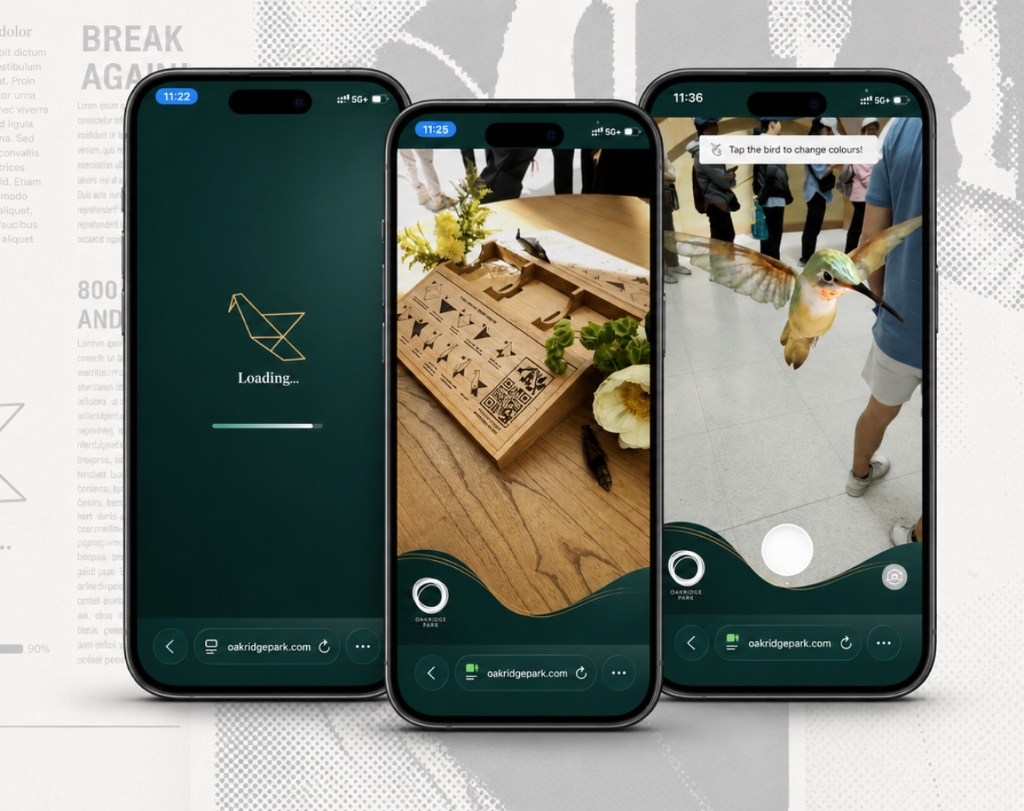
Kio’s Wall is an immersive augmented-reality installation at Oakridge Park in Vancouver. It combines physical installation design, tactile origami and mobile AR.
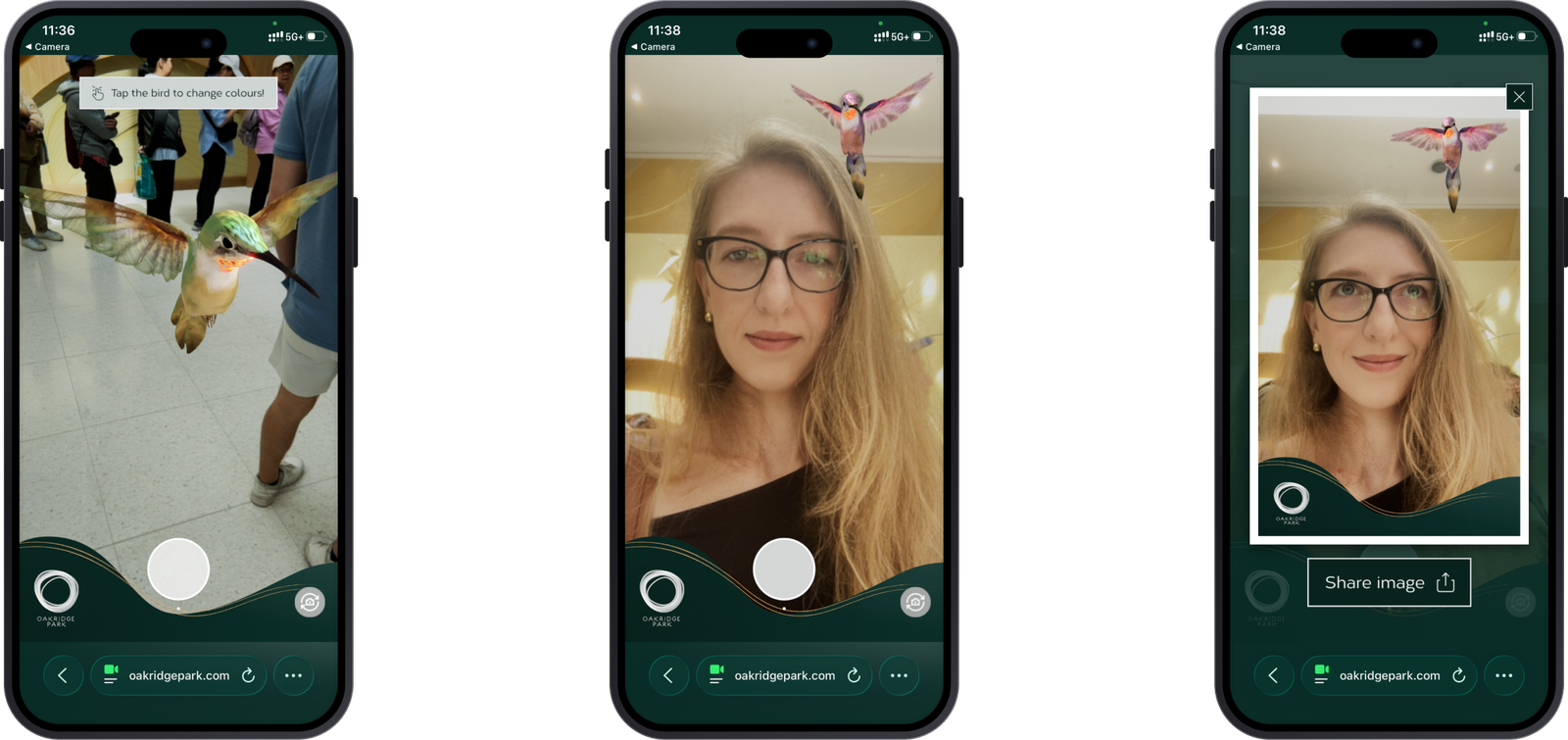
Visitors fold an origami hummingbird, scan the installation and meet Kio through the camera. They can change the bird’s colours, pose with it, capture photographs and share the result.
I joined after the core concept, journey and some client screens had already been established. My responsibility was to complete the interface while respecting the approved flow, Oakridge Park’s brand guidelines, the selected art direction, browser-based AR requirements and the physical environment.
The interface had to remain clear over unpredictable camera backgrounds in a bright, busy public space—and work for visitors of different ages, including people with no previous AR experience.
Align and scan the QR code to activate Kio.
AdaptedEnter a name and email before continuing.
AdaptedConfirm successful submission and continue.
DesignedReturn to camera and reopen details later.
DesignedPose with Kio inside an Oakridge-branded frame.
Designed · PriorityKeep the camera open with a simple thank-you.
DesignedI studied the existing journey and Oakridge brand system, then explored how its shapes, colours, typography and line work could translate into a camera experience.
Two directions emerged: a lighter, simpler treatment and a darker direction with stronger shapes and contrast. The dark-green direction won because it remained visible over a live camera feed while supporting Oakridge’s premium identity.
Through review, rigid geometry softened into flowing forms that carried through onboarding, the details form, camera controls and photo mode.
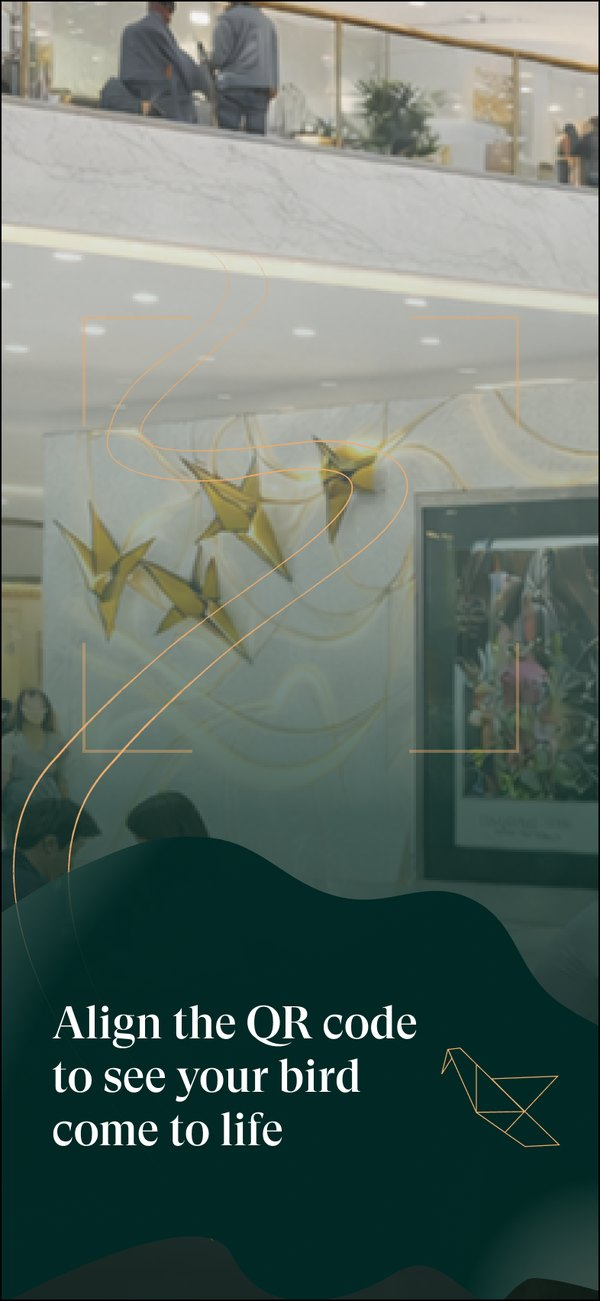
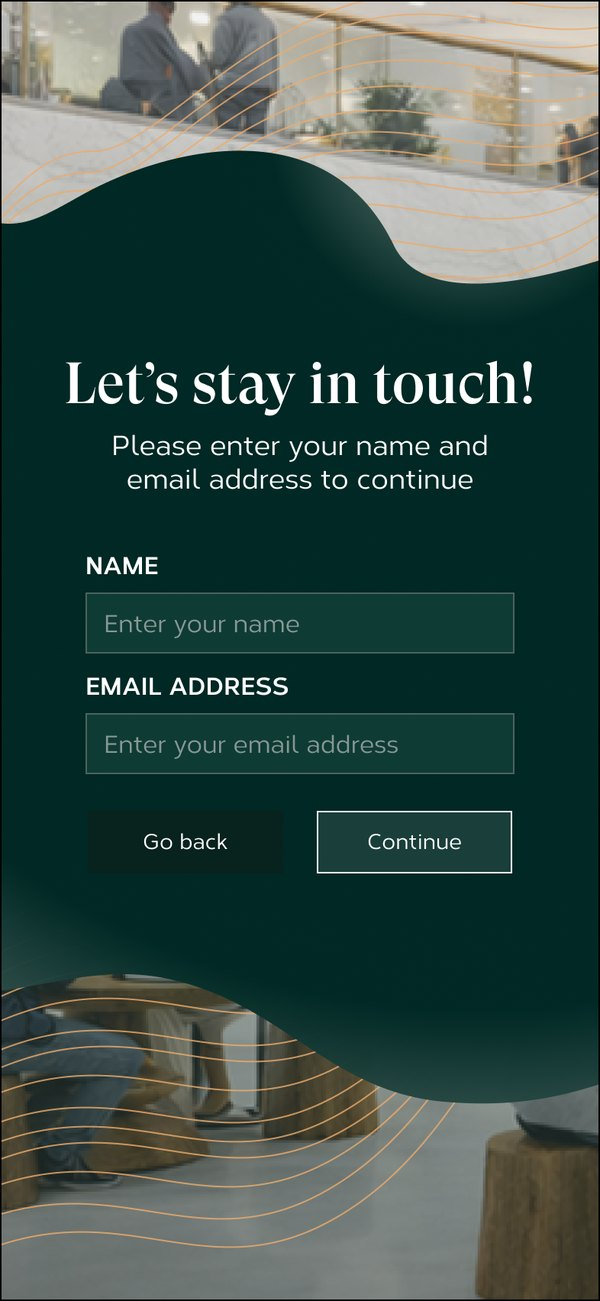
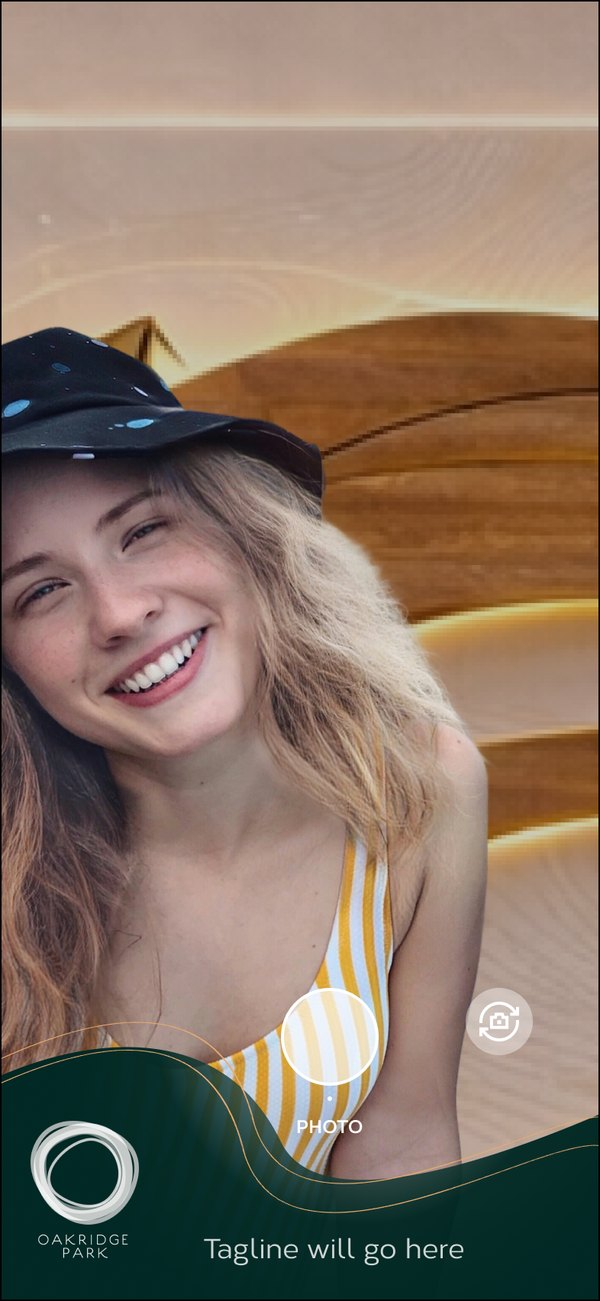
The final flow moves from activation to a camera experience without unnecessary branches. Dark-green surfaces protect legibility, while the Oakridge logo, gold line work and hummingbird symbol connect the mobile interface to the physical installation.
Kio’s Wall opened at Oakridge Park as a public augmented-reality installation. It was my first shipped project combining digital interaction design, augmented reality, physical installation and public-space experience design.
The project designer completed the final refinements before launch.
Opened at Oakridge Park in 2026.
A city-scale AR installation.
Designed inside the NGX Interactive team.